
New account desk · answered 24x7
- PlayinMatch99
- Join PlayinMatch
Join PlayinMatch — Free ID Card by WhatsApp in 5 Minutes, ₹500 Opens the Wallet
To join PlayinMatch you send one WhatsApp message, tell the desk which display name you want, and wait about five minutes while a username and password are typed back to you. The pair costs nothing. Money only enters the picture later, if you choose to put ₹500 into the wallet by UPI.
Join PlayinMatch Message — Free Sign-Up Replica and the One Line You Actually Send
Most sign-up pages hand you a form with eight boxes. PlayinMatch does not. The replica below is what that form would look like if it existed, and it is deliberately short: a name, a phone, a message. In practice all three end up inside a single WhatsApp thread, which is why the whole join takes one chat instead of a registration page, an email link and a verification code.
PlayinMatch join request (replica)
No password field. No bank field. No upload box.
That first line is the only thing you have to compose. Something like Hi, new PlayinMatch ID please. Name: rohan23 does the job, and the desk reads it the moment it lands. You could just write hi. It works, but it adds a round trip, because the next reply will simply ask what name you want, so putting the name in the opening message saves you a minute or two.
Picking the display name. Think about the sign-in box, not the chat. You will type this name on a phone keyboard for months, maybe on a laptop as well, so short beats clever. PlayinMatch usernames take letters and digits only. Leave out spaces, dots and emoji. Your phone number and your full surname are both poor picks for privacy reasons; something like rohan23 or vik88 is the shape most people settle on.
The second field fills itself. Whatever number you message from is the number the PlayinMatch desk sees, and in practice it becomes the line they recognise you by when you come back with a locked account or a payout question. So use the phone you plan to keep. A borrowed handset or a spare SIM you might drop next month is a poor choice here, more for your own convenience then for any rule.
Leave everything else out of that first message. The desk does not want a password from you, because it issues one. It does not want Aadhaar, PAN, a selfie or a bank passbook photo at the join stage either; identity checks only come up much later, on large payouts, and the is PlayinMatch safe page explains where that line sits. If anyone in a chat asks for an OTP from your bank, stop. Nothing about joining PlayinMatch needs it.
Sitting at a laptop? WhatsApp Web or the desktop app is fine for the hello, as long as it is linked to the phone number you mean to keep. The desk sees the same number either way. The one catch is copying the password later: a laptop clipboard and a phone sign-in screen do not talk to each other, so if you plan to play on the phone, it is easier to send the first message from the phone too.
PlayinMatch ID Delivery — What the Desk Sends Back Within a Quick 5 Minutes
Five minutes is the usual figure. Here is roughly how those minutes break down on an ordinary weekday evening, from the second you tap send to the second you are looking at an empty PlayinMatch wallet.
Minute 0 — your hello goes out. Two grey ticks mean WhatsApp delivered it. One tick that never turns into two means your own phone has no data, and no amount of waiting at the desk end fixes that.
Minute 1 to 2 — first reply. The desk is staffed round the clock and normally answers in about two minutes; the PlayinMatch customer care page covers that service in full. If you put your name in the opening line, the reply is usually a short confirmation that the name is free.
Minute 2 to 4 — the account is created. Nothing for you to do here. Do not send three more messages asking if it is done. They land in the same thread and the answer is the same.
Around minute 5 — the pair arrives. A username and a password, typed as plain text in the chat. That is the whole PlayinMatch ID. There is no activation link to click and no email to confirm.
What you do in the next sixty seconds matters more than anything that happened before. Long-press the message and copy the username and password exactly; do not retype them by eye, because a capital letter or a zero that looks like an O is the commonest reason a brand-new PlayinMatch account refuses the very first sign-in. Paste them into a notes app or a password manager. Then open the sign-in screen and try once, carefully.
One thing to be aware of on that first attempt. The PlayinMatch login allows three wrong tries, and the fourth gets a fifteen-minute hold. Fresh accounts hit it more than old ones simply because people are typing a password they have never seen before. The PlayinMatch login fields and the lock are explained there, along with the optional 6-digit OTP you can switch on later.
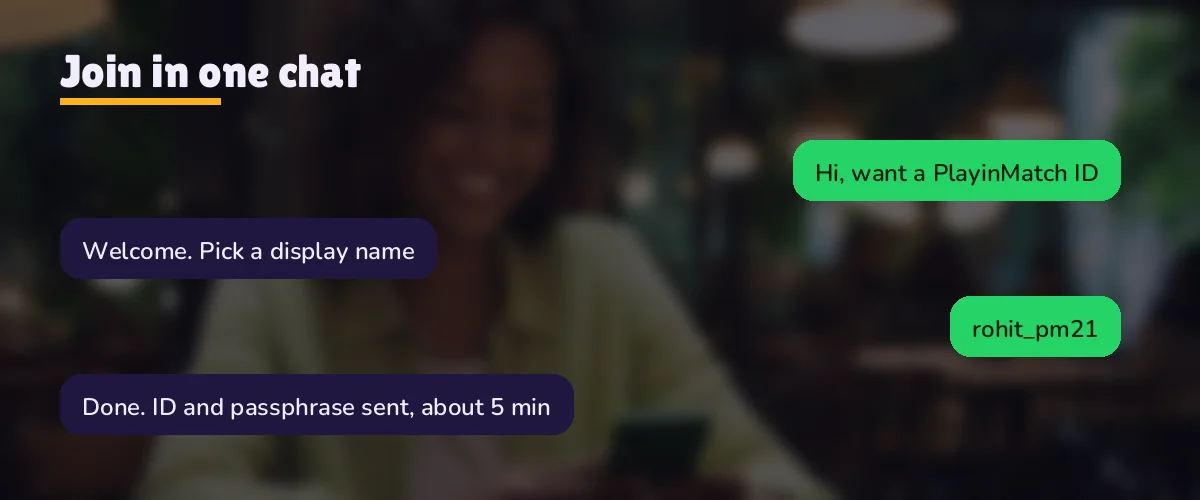
Where does the pair work? Everywhere the brand runs. The same username opens the Android app, the phone browser and any mirror address the desk gives you when a domain gets blocked by an internet provider, which happens to betting sites in India from time to time. Same ID, same balance, whichever door you walk through. You do not join PlayinMatch twice for two devices.
Star that reply. WhatsApp keeps starred messages in their own list, so months from now, on a new handset or after a reinstall, you can pull up the PlayinMatch pair in two taps instead of scrolling back through every chat with the desk. Cheap insurance. If the message is gone completely, write from the same number and ask for the existing account back rather than a new one.
A typical run, start to finish. Someone messages at 8:40 pm on a match night with the name already in the first line. The confirmation lands at 8:42, the pair at 8:45, and they are signed in by 8:47 after one careful paste. Slower runs happen. Usually its because the name was taken or the first message was just hi, and each of those adds a reply in each direction.
PlayinMatch First Deposit — Easy ₹500 UPI Pointer for the Wallet After You Join
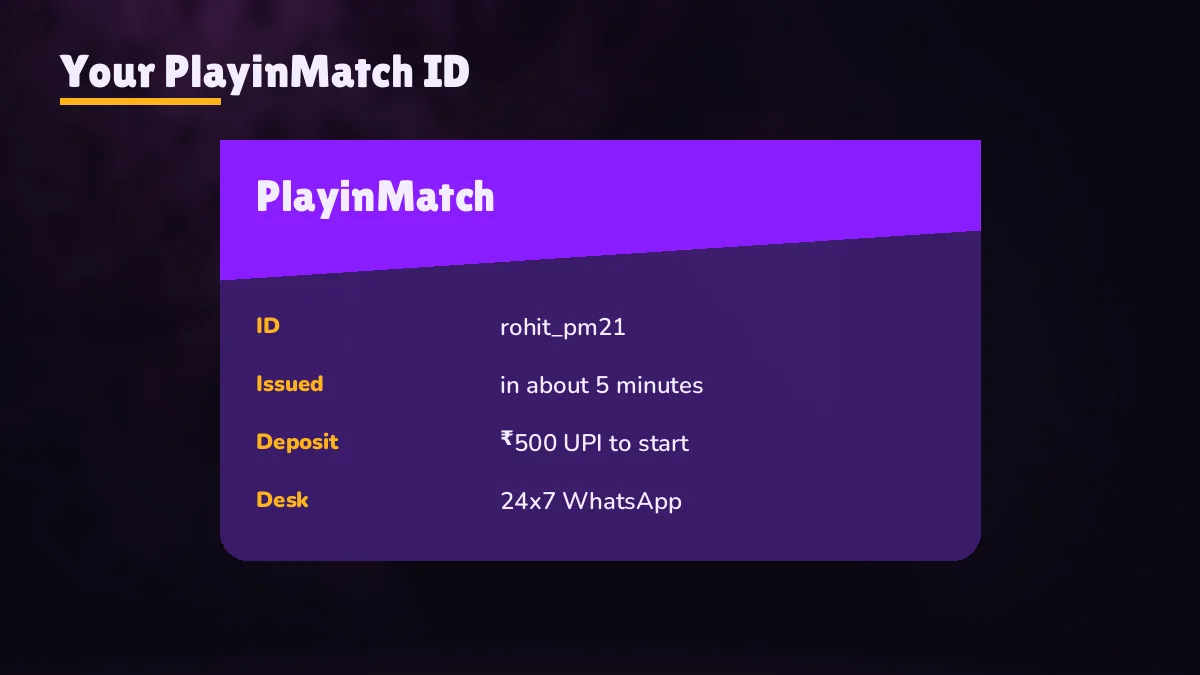
A new PlayinMatch ID opens with a zero balance, and that is fine. Joining and depositing are separate steps, and the desk will not chase you to fund the account the moment the pair arrives. Take the evening, look around the lobby, read the markets.
When you are ready, the first top-up is ₹500 by UPI and the credit normally shows within two or three minutes. The full walkthrough, with what the payment screen asks for and what to keep from the receipt, sits on the PlayinMatch online deposit page; it is not repeated here because that page owns it.
Before you pay anything. Check that you are inside the wallet of the PlayinMatch username you were just given, not on some page a stranger forwarded. The deposit screen lives behind your own sign-in. A payment request that arrives as a loose QR code in an unrelated chat is not part of the join process on PlayinMatch99.
Order matters a little here. Sign in successfully at least once before you send any money, so you know the pair works and the account is yours. Paying first and then discovering a typo in the password means sorting out a lock and a pending credit at the same time, which is two conversations with the desk instead of none. Five calm minutes of testing avoids both of them.
Prefer an app to the browser for that first deposit? The PlayinMatch app download is an Android APK of roughly 22 MB, and it signs in with exactly the same pair. Either route reaches one wallet, so a ₹500 credit made in the browser is already there when you open the app.
PlayinMatch Join Rules — Clear 18+ Age Line and One Verified Account per Person
Two rules decide whether you should send that hello at all. Both are short.
You must be 18 or older. PlayinMatch99 is adults only, and the desk can close an account later if the holder turns out to be under age. Separately, online play is not allowed in every Indian state. If yours restricts it, the right move is to not join PlayinMatch, not to look for a workaround.
One person, one account. The PlayinMatch99 terms limit each person to a single ID. A forgotten password, the 15-minute hold, a switch to a new phone: the desk fixes each of these on the account you already have. None of them is a reason to send a second join hello.
Why bother with the one-account line? Mostly because everything ties back to a single username. Your deposits, your bet history and your withdrawal record all sit under it, and payouts go out against it (the PlayinMatch withdrawal time page has the ₹1,000 minimum and the IMPS timings). Split that across two IDs and you end up explaining to the desk which balance belongs where. Keep one. It is simpler, and it is the rule anyway.
Sharing is the other half of it. Your PlayinMatch login belongs to you; handing the pair to a friend so he can play on your account is still one account, technically, but it is no longer one person, and that is exactly what the terms are written to prevent. If a friend wants in, he can send his own hello. It takes him the same five minutes it took you.
Join PlayinMatch or PlayinMatch Login — Quick Way to Tell Which One You Need Today
A surprising number of people message the desk asking to join PlayinMatch when what they actually want is to get back into an ID they opened last season. Others sit on the sign-in screen trying usernames they never had. The table sorts it out.
| Your situation | Join PlayinMatch | PlayinMatch login |
|---|---|---|
| You have never had a username | Yes, send the hello | Nothing to type yet |
| You have a pair but forgot the password | No, do not open a second ID | Ask the desk to recover it |
| Locked after three wrong tries | No | Wait 15 minutes or request an unlock |
| The address will not load on your network | No | Same pair on a mirror address |
| Moving from browser to the app | No | Same pair inside the APK |
| Time it takes | About 5 minutes in chat | Under a minute once you have the pair |
The pattern is plain enough once it is laid out. Joining happens once in the life of a PlayinMatch account, in a chat, and it ends with you holding a username and password. Logging in happens every visit after that, on a screen, and it starts with you already holding them. If you can scroll up in WhatsApp and find the old pair, you do not need to join again. Scroll first.
Not sure whether you ever joined? Message the PlayinMatch desk from the same phone you think you used. If an account is tied to that thread, they can point you at it, and you skip the whole sign-up.
PlayinMatch Join Delays — Fast Fixes When the New ID Takes Longer Than 5 Minutes
Five minutes is typical, not promised. When a join on PlayinMatch drags, the cause is nearly always one of a handful of things, and most of them are on the sender's side of the chat rather than the desk's.
The message never left your phone. Look at the ticks under your hello. If only one sits there, the problem is your connection, not the PlayinMatch desk; toggle airplane mode for five seconds and watch it change.
The name you asked for is taken. Popular first names go fast. The desk will tell you and wait for another choice, so the clock pauses on your side. Sending two or three fallback names in the first message avoids the pause entirely.
You opened with just hi. Perfectly polite, and it adds one exchange. That is the extra minute or two right there.
A big match is about to start. Probably the most common reason of all, though hard to say exactly how much it adds. Plenty of people decide to join PlayinMatch half an hour before a toss, and they all message at once. Joining the afternoon before is the easy fix.
The pair arrived but will not sign in. Almost always a copying slip. Check for a trailing space after the password, a capital letter you lowered, or a zero read as an O. If three tries have already failed, the 15-minute hold is running and further attempts will not help until it ends.
The site address will not open at all. Your new pair is fine; the domain is what got blocked, a routine thing with betting addresses on Indian broadband. The desk keeps a current mirror, and the rohan23 ID logs in there with the same balance and nothing changed.
One more, less obvious. Some people get impatient and message a second number they found on a forum, then a third. Now there are two or three half-finished joins in different chats, possibly with people who have nothing to do with PlayinMatch99. Stay in one thread. The official number is the one behind the join button on this page, and the PlayinMatch WhatsApp number page shows it written out.
If fifteen minutes or so have passed with two ticks and no reply, a single short follow-up in the same chat is reasonable. Something like still waiting on the new ID for rohan23. That is it. The desk works the thread in order, and a pile of follow-ups does not move you up the queue; it just makes the the thread longer to read.
PlayinMatch Join Searches — Trusted Links for the Step After Your New ID
Join PlayinMatch Keyword Notes — Verified Sign-Up Terms Collected on One Page
Join PlayinMatch, PlayinMatch sign up, PlayinMatch99 register, new PlayinMatch ID, PlayinMatch 99 account: five searches, one destination. Every one of them ends at the same WhatsApp hello described in the replica above, and at the same free pair landing in about five minutes.
Join PlayinMatch as the sign-up desk uses the phrase
What join PlayinMatch means inside the chat on this page
On playinmatch-99.org the phrase covers one action only: the hello sent from the button on this page, and the reply that carries your rohan23-style credentials. Nothing gets filled in on the website itself, which is why the replica higher up has no submit button.
Register, sign up, create an account and open an ID are all the same request here. Type whichever you like into the opening line; the desk answers each one with the same pair.
Join PlayinMatch spellings typed into the hello
Join PlayinMatch99 and the other spellings the desk recognises
Searches mix the brand forms freely. The desk treats all of the following as one request:
- join PlayinMatch, join PlayinMatch99 or join PlayinMatch 99
- PlayinMatch ID, PlayinMatch new ID or PlayinMatch99 ID by WhatsApp
- PlayinMatch sign up, PlayinMatch register or PlayinMatch account opening
Join PlayinMatch Questions — Quick Answers Before You Send the Hello
How do I join PlayinMatch?
Tap the join button, which opens WhatsApp with the PlayinMatch desk, and write one line that includes the name you would like, for example rohan23. A username and password come back in that thread in roughly five minutes. Paste them into the sign-in screen; there is no web form, email or activation link.
Is it free to join PlayinMatch?
Yes, completely. The chat, the name and the sign-in pair cost nothing. The first rupee you spend on PlayinMatch is whatever you later choose to deposit, ₹500 by UPI at the minimum, and that can wait for days. A message demanding a fee to release your username did not come from this desk.
What documents do I need to join PlayinMatch?
None at sign-up. The PlayinMatch desk asks only for a display name, and your phone number comes through with the WhatsApp chat itself. Identity checks appear much later, and only once a single payout goes above ₹1,00,000. Do not send Aadhaar, PAN or bank photos during the join chat.
How long does PlayinMatch take to create a new ID?
Count on five minutes. Around two of those are the desk getting to your first message; the rest is the PlayinMatch account being set up and the pair being typed back. A name that is already taken, or a hello without any name, adds one reply each way, and pre-toss rush hours can add a little more.
Can I have two PlayinMatch IDs?
No, only one per person. If the password is lost or the account is on its 15-minute hold, write to the PlayinMatch desk from your usual number and they bring back the existing username. Deposits and bet records stay on that single ID, which is what the terms linked in the footer require.
Can I join PlayinMatch without WhatsApp?
Not through this desk. Every PlayinMatch ID on this site is issued inside a WhatsApp chat, and the same chat later handles unlocks and payout questions. If WhatsApp is missing from your phone, install it on the number you intend to keep, then send the hello with your chosen name.