
- PlayinMatch99
- PlayinMatch Live App
PlayinMatch Live App — Instant Score Pulse and a 20-Second Odds Tick
Open a running match in the PlayinMatch live app and three things share one screen: a score line that pulses when the number changes, back and lay prices that move every 20 seconds, and a slip you fill while the ball is still in play. Same ID. Same wallet.
There is no second file to fetch. If PlayinMatch is already on your phone, live mode is one tap from the home screen; if it is not, the PlayinMatch app download page carries the APK (roughly 22 MB, Android 8 or newer).
In play now — sample labels
- LIVE Cricket · match odds · tick 20s
- LIVE Cricket · session runs line
- LIVE Football · match result · back / lay
- LIVE Tennis · set winner
- PULSE Score line flashes on change
- SLIP Price · stake · confirm
These are the kinds of tags the PlayinMatch live app puts on its match list, written out as plain text. Not a feed. Which fixtures show up depends on what is actually running when you open the app.
PlayinMatch Live App Mode — Fast Score Pulse on One Match Screen
Sign in to the PlayinMatch app and the home screen splits into sports and casino. Live mode sits on the sports side. Any fixture that has already started carries an in-play tag, and tapping it opens the match screen, which is really the whole of what people mean when they type PlayinMatch live app into a search bar.
Three things sit on that screen.
Score pulse. A single line at the top holds the current score. When a number changes, the line pulses once so your eye catches it without reading the row again. It is text. PlayinMatch99 does not stream video of the match, and the live app never claims to.
Odds tick. Under the score, each market shows back and lay prices. They refresh every 20 seconds. So a price you are looking at can be anything from fresh to nearly 20 seconds old, which matters a lot more in the 19th over of a T20 than during a quiet afternoon session of a long match.
In-play slip. The third piece, and the only one that touches your wallet. It slides up from the bottom of the match screen carrying whichever price you pressed. Six short steps, covered in the next section.
Cricket carries the widest spread of rows in the PlayinMatch live app, because the exchange runs session and fancy lines next to plain match odds (commission and market types are laid out on the PlayinMatch exchange page). Football and tennis tend to be shorter lists, usually a result market or a set winner plus a handful of others.
One habit helps more than any setting. Before tapping anything, watch one full tick. Twenty seconds is not long, and seeing the price move once tells you whether the market is drifting or holding steady.
Confirmed bets stay in your open-bets list after you leave the match screen, so backing out to look at a second fixture cancels nothing. Your wallet balance shows on the same screen in the PlayinMatch live app, which is the main reason people stay inside the app during a match instead of flipping between it and a browser tab.
Where do you find the full list of sports and markets? That lives on the PlayinMatch online live sports page, which is the catalogue. This page is about the screen itself — how it behaves, how fast it moves, and what it costs your data plan.
PlayinMatch Live App In-Play Slip — Quick Steps from Price to Placed Bet
The slip in the PlayinMatch live app works like the pre-match one, with one difference that changes everything: the price under your thumb is moving. Here is the order that keeps surprises to a minimum.
- Open the match from the in-play list. Glance at the score pulse first. If it just flashed, the next tick may still be catching up with what happened on the field.
- Pick a column. In the PlayinMatch live app the back price and the lay price sit side by side on each market row. Tapping the left one backs the outcome; tapping the right one lays it, which makes you the one paying if it comes off.
- Tap the price. The slip opens carrying the price from the most recent tick.
- Have the number ready. The 20-second clock keeps running while your thumb hovers over the keypad, so decide the stake before you tap the price, not after. Slow typing is how most people miss the price they wanted.
- Read the return line. On a back bet it shows the profit if you win; on a lay bet it shows your liability, the sum you pay out if the side you laid wins.
- Confirm. If a tick lands while the slip is open, look at the price again. The number in the slip is the one that counts, not the one you remember from ten seconds earlier.
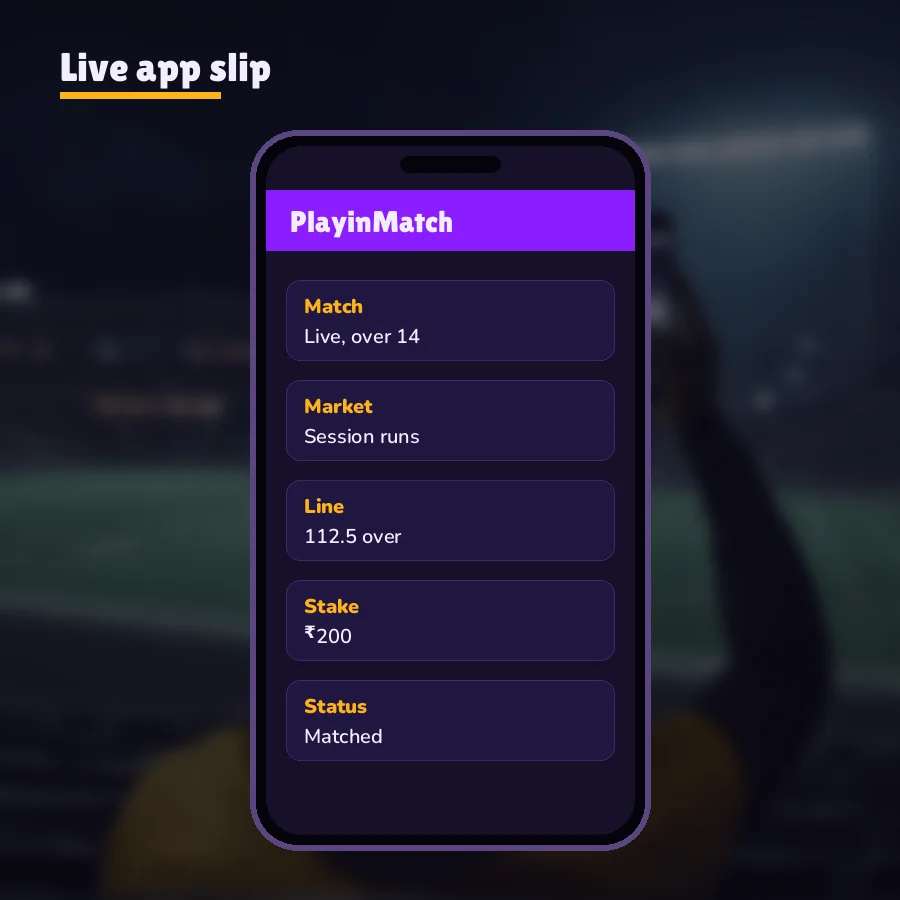
Money first, though. A stake needs a funded wallet, and the smallest UPI top-up is ₹500 with credit in two or three minutes (the PlayinMatch online page has the deposit details). People who open the PlayinMatch live app mid-match with an empty balance usually lose the price they wanted while the payment clears, so top up before the toss rather then after the first wicket.
Worked example — back. A ₹500 back at 1.80. If it wins, the return is ₹900, of which ₹400 is profit. The exchange takes 2% of net winnings, so ₹8 goes and ₹392 lands in the wallet. If it loses, the ₹500 is gone. Nothing else is owed.
Worked example — lay. A ₹500 lay at 2.10. If the side you laid loses, you collect the backer's ₹500, minus 2%, so ₹490. If it wins, you pay 1.10 × ₹500 = ₹550. That ₹550 is your liability, and it is held against your balance from the moment the slip confirms.
The lay example is where newcomers to the PlayinMatch live app trip up. A lay at a high price can carry a liability several times the stake. At 4.00, a ₹500 lay ties up ₹1,500. The return line in the slip shows this before you confirm, so read it every time and not just the first time.
Markets also pause. A wicket, a goal, a break of serve: big moments tend to lock a market for a short spell while the price resets. During a pause the slip will not take a stake, and when the market reopens the price is often in a different place altogether. That is normal exchange behaviour, not a fault in your phone or in PlayinMatch.
Then there is the open-bets list, which sometimes holds a bet marked unmatched. That happens when you edit the price in the slip to something better than the row offers and no other PlayinMatch user wants the far side yet. On a busy cricket market the gap closes fast. On a thin tennis line it may never close, and the stake stays parked until you cancel it.
PlayinMatch Live App vs Live Score Page — Clear Split of What Each One Does
Both run on a 20-second rhythm, and both cover cricket, football and tennis. That is where the overlap ends. The PlayinMatch live score today page is a public strip of scores that anyone can open without an account; the PlayinMatch live app is a signed-in screen with your money on it.
| Question | PlayinMatch live app | Live score page |
|---|---|---|
| Sign-in needed? | Yes, your PlayinMatch99 ID | No |
| Install needed? | Android APK, about 22 MB | No, it is a web page |
| Refresh cycle | Odds tick every 20 seconds | Scores refresh every 20 seconds |
| Bet slip | Yes, in-play slip | No |
| Wallet balance and open bets | On the match screen | Not shown |
| Works on iPhone? | No, Android only | Yes, any browser |
So what does the web page lack? Mainly the slip. You can read a score there; you cannot act on a price. No balance, no open bets, no cash flow at all, and that is deliberate, since it is meant for checking a match from anywhere.
The middle option is the signed-in mobile site. It uses the same PlayinMatch ID with no install and can sit on a home screen like an app; the PlayinMatch com mobile page covers it. For most people with an Android phone, the PlayinMatch live app is still the smoother way to follow a match with a slip open, mostly because the match screen stays put while you move around the rest of the app.
Plenty of people use both during the same game. The score page sits open on a laptop at work, where installing anything is out of the question, and the PlayinMatch live app stays in a pocket until something on the strip looks worth a closer look. Because both refresh every 20 seconds, neither one is going to show you a score the other cannot. What changes is whether you can do anything with it. The app has the slip and the balance; the page has neither, and it is lighter for exactly that reason.
A rough rule, then. Score only? Use the page. Score plus a bet you might place in the next over? Use the app.
PlayinMatch Live App Data and Lag — Real Numbers Behind the 20-Second Tick
Start with the arithmetic, because it is the one part nobody can argue with. A 20-second tick means three refreshes a minute and 180 an hour. Leave the PlayinMatch live app open on one match screen for a full T20 game, which usually runs somewhere around three and a half hours, and it pulls something like 600 ticks. A one-day international can easily double that.
How much data each tick costs depends on how many markets the screen is showing, so a crowded cricket screen weighs more than a short tennis one. The fastest way to get your own figure is to let Android count it. On most phones the path is Settings, then Network or Connections, then Data usage, then the app list; the names shift a little between brands. Check the PlayinMatch entry before a match, again after, and you have a per-match number for your phone and your usage. That beats any average printed on a a web page.
Where lag comes from. Two places, and only one of them is the PlayinMatch99 side. The first is the tick itself: a price can be up to 20 seconds old just before the next refresh. The second is your connection. A weak 4G signal in a crowded stadium or on a train adds its own delay on top, and the score pulse can trail the TV picture by a noticeable gap.
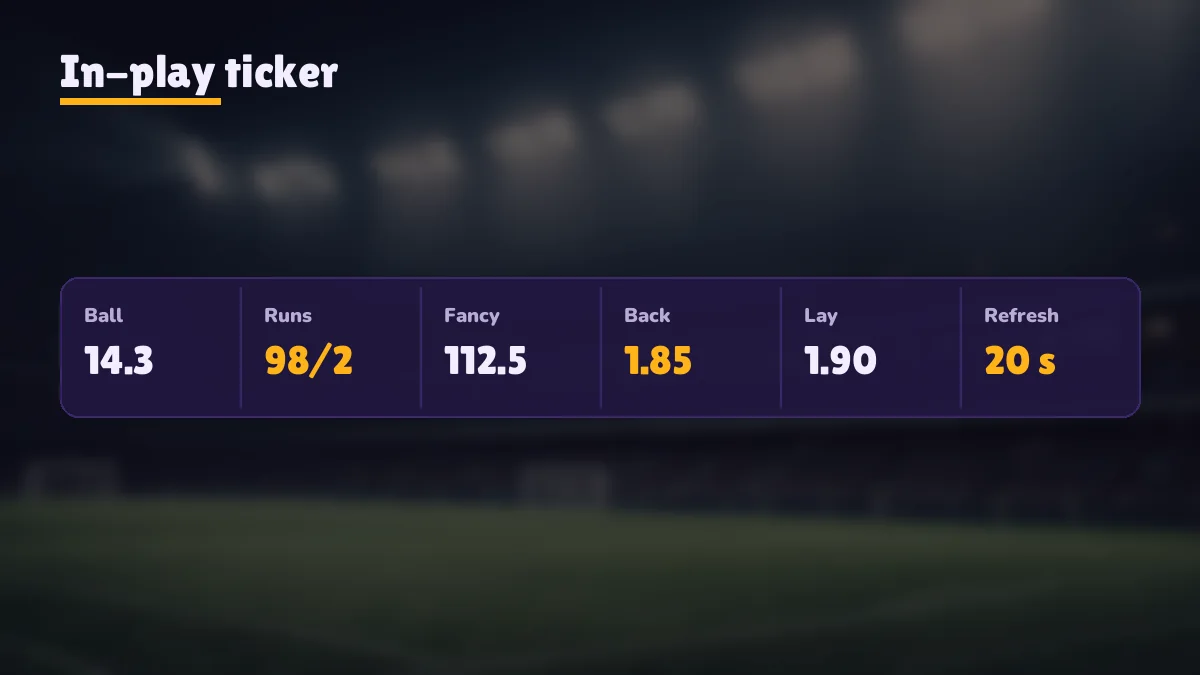
One tick, slowed down. Picture a single 20-second window in a T20 chase. At second 0 the PlayinMatch live app refreshes and the price for the chasing side reads 1.90. At second 6 the batter hits a six. Your score pulse flashes a moment later, depending on signal, but the price row does not move yet. At second 20 the next tick lands and the price has shortened. Anyone who tapped between second 6 and second 20 saw the old 1.90 on the row, and the slip is where that gap shows up. That is the whole reason to read the slip before confirming.
Television itself runs behind the ground, too. So if you are watching a broadcast and the PlayinMatch live app seems ahead or behind, it may be the TV that is out of step. Hard to say from the sofa which one is which.
When the screen stops moving altogether, work down this short list before you assume something is broken:
- Is the match in a break? Innings change, drinks, half-time, a rain delay. No play means no score change, and many markets sit still too.
- Is the in-play tag still on the fixture? If the match has ended or been suspended, the screen freezes on the last state.
- Switch networks once. Wi-Fi to mobile data or the other way round. A stuck connection is the usual culprit.
- Sign out and back in. Careful with the password here: three wrong attempts lock the ID for 15 minutes, as the PlayinMatch login page explains.
- Nothing worked? Send the match name and a screenshot of the frozen PlayinMatch screen to the WhatsApp desk listed on the PlayinMatch customer care page, which is staffed around the clock.
Battery is the quieter cost. The match screen keeps the display lit and keeps asking for a fresh tick, so a three-hour match drains more than three hours of an idle phone would. Most of that is the screen, not the network. Backing out to the home screen of the PlayinMatch app between overs cuts it down, and your open bets carry on without you watching them.
One more thing about lag, said differently because it is easy to forget mid-match: the price on the screen is a snapshot, never a promise. The slip shows the number that will actually be used. Read the slip, not the row.
PlayinMatch Live APK Spelling — Verified Names That All Lead to One Android File
People type this app a dozen ways. PlayinMatch live app, PlayinMatch live APK, playin match live app, play in match live, PlayinMatch99 live app download. Every one of those is looking for the same thing, and there is exactly one file behind them: the PlayinMatch99 Android APK.
Live mode ships inside the main PlayinMatch99 APK, so the in-play list is already on the sports side of the app the first time you open it. Nothing extra to switch on. Because Google Play does not carry the file, you get it from the PlayinMatch app download page or from the desk in your chat, and the PlayinMatch install page deals with the unknown-sources prompt Android throws up the first time.
A file circulating in a Telegram group as PlayinMatch Live is not a second official app. It did not come from the PlayinMatch99 desk, and its contents are anyone's guess. Delete it and use the main build.
The spelling matters less then people think, by the way. Search engines fold playin match and playinmatch together, and the app itself only ever says PlayinMatch on the icon. If the icon on your phone says something else, that is your warning.
PlayinMatch Live App Searches — Trusted Sibling Pages on This Site
PlayinMatch Live App Keyword Ledger — Verified Terms and Where They Point
What the playinmatch live app search means on PlayinMatch99
Anyone searching playinmatch live app or playinmatch99 live app wants the in-play screen of the Android build: score pulse, odds tick every 20 seconds, and the in-play slip. Variants such as playin match live app, play in match live app and playinmatch live app download land on this same page, because one APK covers all of them.
Live searches routed from this match-screen page to sibling pages
| Search typed | Page that answers it | What you get there |
|---|---|---|
| playinmatch live app | This page | Score pulse, 20-second odds tick, in-play slip steps |
| playinmatch live apk | PlayinMatch app | The full app, screen by screen |
| playinmatch live score today | Live score page | Public score strip, no sign-in |
| playinmatch online live sports | Live sports page | Sports and market catalogue |
| playinmatch app download | Download page | The APK file and phone requirements |
Spelling slips that still reach the in-play slip
Typed as playinmatch live, playin match live score app or playinmatch live betting app, the query still points to one file and one ID. The PlayinMatch live app is not sold or listed under any other name.
PlayinMatch Live App Questions — Quick Answers Before the Next Over
What is the PlayinMatch live app?
It is the in-play mode inside the PlayinMatch99 Android app. Each running match shows a score pulse, back and lay prices that refresh every 20 seconds, and a slip for betting while play continues. It uses the same ID and the same wallet as the rest of the app.
Is the PlayinMatch live app a separate download?
No. Live mode is part of the single PlayinMatch99 Android file, about 22 MB, which installs on Android 8 or newer from the app download page. Anything sold as a second live APK did not come from the PlayinMatch99 desk, so skip it and install the main build instead.
Why do odds lag in the PlayinMatch live app?
Prices refresh on a 20-second tick, so just before a refresh the number on screen can be almost 20 seconds old. A slow connection adds its own delay, and big moments such as a wicket can pause a market. Always read the price inside the slip before you confirm.
Does the PlayinMatch live app show live scores?
Yes. Every in-play match opens with a score pulse, a line at the top that flashes when the score changes. It is text, not video. For scores without signing in, the PlayinMatch live score today page lists cricket, football and tennis on the same 20-second cycle.
Does the PlayinMatch live app use a lot of battery?
More than an idle app, yes. The match screen keeps the display awake and pulls a fresh tick every 20 seconds, around 180 times an hour. Most of the drain is the lit screen, so backing out of the match screen between overs saves the most charge.
Can I use the PlayinMatch live app on an iPhone?
Not as an installed app, because the build the desk sends is an Android APK. On an iPhone, open the PlayinMatch com mobile address in Safari, sign in with the same ID and add it to the home screen. Scores, prices and the slip then load in the browser.