
- PlayinMatch99
- PlayinMatch Online
PlayinMatch Online — Genuine Browser Lane, No APK, Credit by the Third Minute
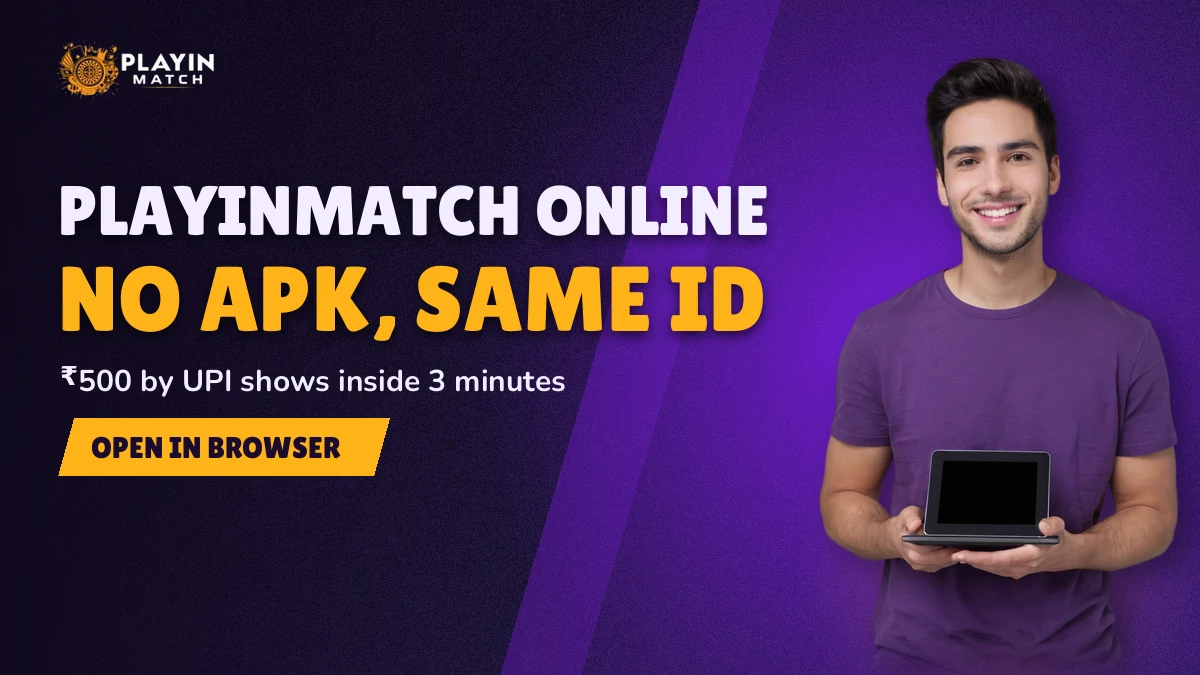
PlayinMatch online is your existing ID opened in Chrome, Safari or whatever browser the phone came with. Top up ₹500 by UPI and the balance normally moves inside two or three minutes, then the exchange, the dealer rooms and the crash rounds all draw from that one wallet.
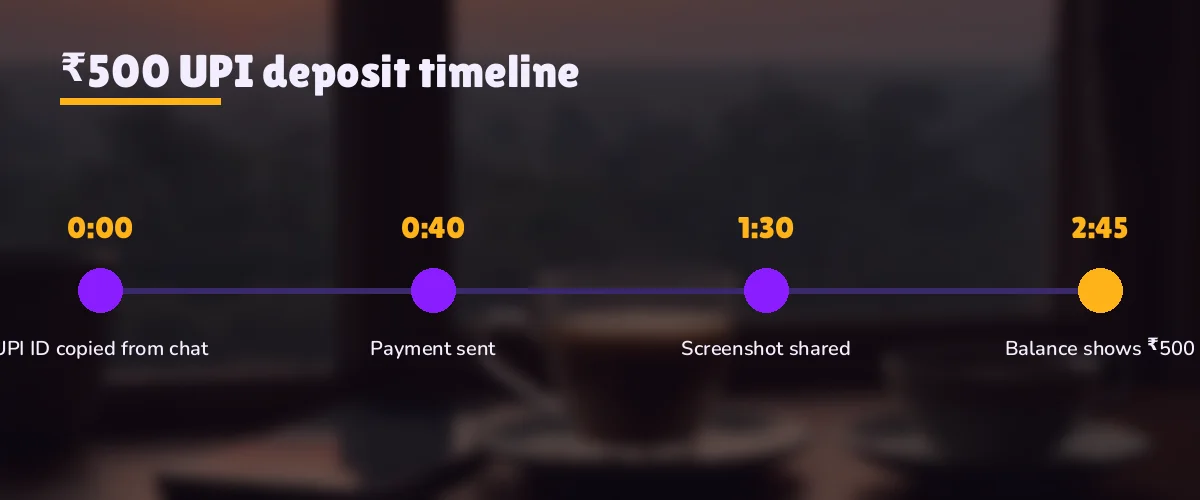
PlayinMatch online UPI clock: ₹500 from payment to first bet
- 0:00Pay ₹500 from any UPI app, using the details the PlayinMatch deposit screen gives you.
- 0:30Keep the 12-digit UTR from the receipt. Nobody asks for it if things go smoothly.
- 2:00–3:00Credit lands. ₹500 shows in the PlayinMatch balance, and the app shows the same figure.
- 3:00+First bet from that balance: exchange, a dealer table or a crash round.
Two to three minutes is the normal window. If ten have gone by, stop refreshing and send the UTR to the desk; paying a second time only makes the trail harder to follow.
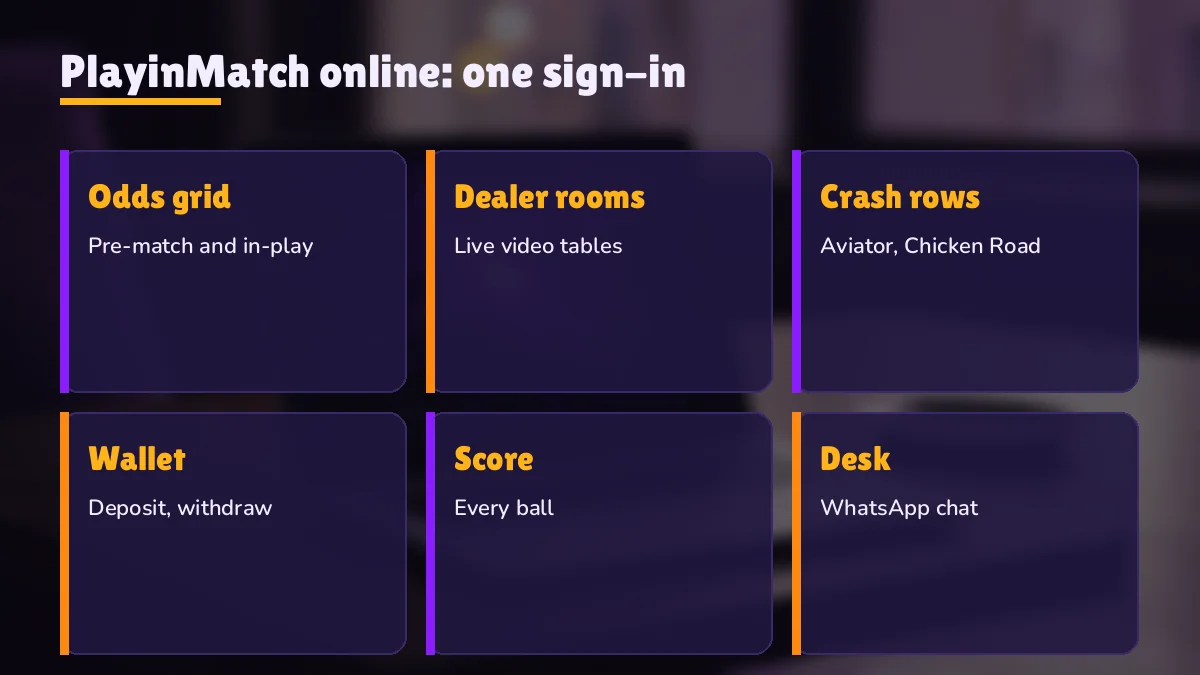
PlayinMatch Online Lobby — Live Odds, Dealer Rooms and Crash Rounds in One Trusted Window
Sign in and you land on the lobby, not on a download prompt. That is the whole point of PlayinMatch online: the account you were handed on WhatsApp opens straight away in a browser, with the same balance the Android build would show you. Nothing on the phone changes. No file sits in Downloads, no permission screen pops up, and no "install from unknown sources" toggle needs flipping.
What sits inside is the full PlayinMatch catalogue rather than a lighter web cut of it. Three areas matter to most people.
The exchange. Each fixture lists a back price and a lay price; cricket fills most of it during a series, with football and tennis added on the days they play. Tap a price, enter a stake, confirm. Session and fancy lines open inside the match itself, and the commission rules are on the PlayinMatch exchange page rather than repeated here.
Dealer rooms. Tables from Evolution and Ezugi, streamed to the browser the way the app streams them. A weak signal hurts the picture more than it hurts the bet, which is worth knowing if you play on mobile data at a ground.
Crash rounds. Aviator and Chicken Road both run from the PlayinMatch wallet. Round length is short, so a laggy page matters more here than anywhere else in the lobby. The rules, difficulty levels and the free demo live on the PlayinMatch game page.
Slots are there too, though most users who search for PlayinMatch online are after cricket or a dealer table, not reels. All of it pulls from one balance. A rupee won on the exchange at 9 pm can sit on a roulette table at 9:05 without any transfer step in between, and the same is true in reverse.
One detail people miss: the browser keeps you signed in only as long as the session holds. Close the window for an hour and you will probably be asked for the password again. That is by design, and it is a minor cost against not carrying an APK around. If you would rather keep a one-tap shortcut, the PlayinMatch com mobile address can be pinned to the home screen and behaves almost like an app icon.
Which browser? Any current one. Chrome and Samsung Internet on Android, Safari on an iPhone, Chrome or Edge on a laptop. Two settings cause most of the odd behaviour people report. Private or incognito mode forgets the PlayinMatch session the moment the window closes, so you sign in from scratch every time, which is fine if that is what you want and annoying if it is not. Data-saver modes are the other one: some of them compress or delay the video in dealer rooms, and a few hold back the price refresh on the exchange grid by a second or two. If a table looks frozen while the rest of the lobby works, turn the saver off for that address and reload.
A laptop screen shows more of the PlayinMatch exchange at once. A phone shows less but goes everywhere. Neither changes what you can bet on.
PlayinMatch Online vs the App — Quick Browser Lane or a 22 MB Android Install
Both routes reach the same account. The difference is what you carry on the device and which phones can join. For an iPhone the question answers itself, since an APK will not run on iOS at all, so PlayinMatch online is the only lane. On Android it is a real choice.
| Point | PlayinMatch online (browser) | PlayinMatch Android app |
|---|---|---|
| Install | None. Open the address and sign in. | APK of roughly 22 MB, sideloaded |
| Phones | Android, iPhone, laptop, tablet | Android 8 and newer only |
| Play Store | Not needed | Not listed; file comes from the download page |
| Updates | Every visit loads the current build | New APK when the version date stamp changes |
| ID and balance | Same username, same wallet | Same username, same wallet |
| Blocked address | Switch to a mirror, sign in as normal | Ask the desk if the build stops connecting |
| First ₹500 UPI credit | About 2–3 min | About 2–3 min |
Speed of credit is identical. The payment does not care which screen you started from, so neither lane gets your money faster.
So where does the app win? Mainly on habit. Someone who checks the PlayinMatch exchange forty times a day during an IPL fortnight will get tired of typing a password into a browser, and a sideloaded build that stays signed in is less friction for that person. The PlayinMatch app download page carries the current file and the version stamp. For everyone else, and that is honestly most people who play a few evenings a week, the browser is less to manage. It also takes no storage, which matters on a 32 GB phone already full of family WhatsApp videos.
Mixing the two is fine. Plenty of PlayinMatch users bet from the app at home and from a browser on an office laptop, signing in with the same username on each. Balance follows the account, not the device. The one thing to avoid is sharing those credentials with someone else to "save time", because the account stays in your name either way.
Moving from the PlayinMatch app to a browser mid-match — easy handover
Say the phone battery is at 4% in the fourteenth over and the laptop is right there. Nothing needs to be closed or cashed out first. Open PlayinMatch online on the laptop, sign in with the same username, and the open exchange positions are already listed against the account, because they were never stored on the phone in the first place. The balance on the laptop matches what the app showed a minute ago. If both stay signed in for a while, that is allowed; just keep in mind that a bet confirmed on one screen will appear on the other after a refresh, not before. People occasionally place the same bet twice this way, once on each device, thinking the first one failed. Check the open-bets list before you press confirm a second time.
PlayinMatch Online First Deposit — A Real ₹500 UPI Worked Example
Here is the same clock from the strip above, stretched out with real moments attached. Say it is a weekday, 7:52 pm, and a T20 toss is due at eight. You already have a PlayinMatch ID; if you do not, the WhatsApp desk sets one up in about five minutes through Join PlayinMatch, so do that first and come back.
Have these ready before 7:52. The PlayinMatch username and password, the phone that receives the OTP if you use one, a UPI app with at least ₹500 in the linked bank account, and about ten unhurried minutes. Missing any one of them is how a three-minute deposit turns into a twenty-minute one.
7:52 — sign in. Open the PlayinMatch online address, type the username exactly as issued (letters and digits, no spaces) and the password. If you switched on the optional 6-digit OTP, enter that too. Mistyping three times locks the account for 15 minutes, and the PlayinMatch login page covers that lock in full, so go slowly on a small keyboard.
7:53 — open deposit, choose UPI, enter 500. ₹500 is the floor. Anything smaller is below the minimum and should not be sent as a first top-up. The screen gives you the payment details; copy them rather than retyping from memory.
7:54 — pay from your UPI app. Approve with your UPI PIN. The receipt shows a 12-digit UTR. Screenshot it or long-press to copy. You will most likely never need it, but if you do, it saves a back-and-forth with support.
7:56 to 7:57 — credit appears. On a normal evening the PlayinMatch balance flips from ₹0 to ₹500 somewhere in this window. Refreshing the wallet once is enough. Hammering reload every five seconds does not speed up a bank.
7:58 — first bet. Plenty of time before the toss. Put ₹200 on a market and keep ₹300 back, or spend the whole lot on a dealer table; the split is your call, and nothing here tells you what to pick.
Total elapsed time: roughly six minutes from sign-in to a placed bet, and only two or three of those were waiting on money. In practice the slow part is usually the person, not the payment. People pause on the UPI screen, check the amount twice, wander off to answer a call.
Run the same evening on an iPhone and only one thing changes: Safari instead of Chrome. The UPI app hands control back to the browser after you approve, and sometimes Safari reloads the PlayinMatch page on return, which can look like you have been signed out. Usually you have not. If the sign-in card does show up, enter the details once, carefully, and the wallet will be where you left it, ₹500 included once the bank confirms. On a laptop it is simpler still, because the payment happens on the phone while the PlayinMatch online window stays open on the bigger screen, untouched.
Busy evenings stretch things a little. A Sunday night with a big match on can push a credit towards the top of the window, and on rare occassions past it. That is still not a reason to pay again. Two ₹500 payments for one top-up means two UTRs to trace, and it is far easier to sort one stuck payment than a pair of them.
A second PlayinMatch online top-up — same quick clock
Later deposits follow the identical path. Deposit, UPI, approve, wait two or three minutes, done. The ₹500 figure is the minimum, not a fixed amount, so a later top-up can be larger if you want it to be. Whatever the size, the credit window stays roughly the same, because the step that takes time is the bank confirming the transfer and that does not scale with the amount in any way you will notice. Two habits help. Keep each UTR until the balance has moved. And top up a few minutes before you need the money, not during the final over when every second feels long.
Taking money out runs on a different clock entirely. Payouts go by IMPS with a ₹1,000 minimum, and the timings and daily limits sit on the PlayinMatch withdrawal time page.
PlayinMatch Online Errors — Fast Fixes for Blocked Pages and Expired Sessions
Five things go wrong on PlayinMatch online often enough to list. Each one below starts from the symptom you actually see on screen, and in every case the wallet balance is untouched.
PlayinMatch online address not loading — quick mirror switch
Before anything else, flip the connection. On mobile data, hop onto Wi-Fi; on Wi-Fi, drop to mobile data, then pull the PlayinMatch online page again. Loads on one network and dies on the other? The dead one belongs to a provider that has filtered the address. Indian ISPs do this to betting domains in batches, and nothing about your PlayinMatch balance or ID changes while it happens.
For a working address, message the 24x7 WhatsApp desk; replies take about two minutes and the PlayinMatch customer care page lists the routes. Type your usual username and password on the mirror they send. Whatever sat in the wallet before is sitting there too.
Avoid addresses passed around in random Telegram groups. A mirror should come from the desk, not from a stranger with a link.
PlayinMatch online session expired — secure sign-in again
A browser session ends after a spell of inactivity, and sometimes when you clear history or switch from mobile data to Wi-Fi. You will see the sign-in card again, possibly mid-match. Type the credentials and you return to the lobby with your open bets still standing; a session ending does not cancel anything already placed. The trap is speed. People in a hurry mistype, and three wrong tries in a row triggers the 15-minute lock. Better to take ten extra seconds than lose a quarter of an hour.
PlayinMatch online deposit not showing — clear UTR check
Start in the UPI app, not in the PlayinMatch wallet. If the transfer says pending, the bank is still working on it and there is nothing to credit yet. If it says successful and ten minutes have gone by with the wallet still at zero, that is when the desk needs your username, the ₹500 figure and the 12-digit UTR, ideally with a receipt screenshot attached. Leave the payment alone while they look; a second transfer just adds a second trail.
PlayinMatch online OTP or lock screen — safe way through
The 6-digit OTP is optional. If you turned it on, the code is asked for after the password every time you sign in online, including on a mirror. A code that has not arrived after a minute or so is a desk question; tapping resend five times in a row only makes it unclear which code is the current one. The lock is a separate thing. Three wrong passwords in a row and the PlayinMatch account refuses sign-in for 15 minutes, on the app and the browser alike. Waiting it out is faster then anything else. If the password itself is gone from memory, the desk handles unblock requests, and the full sign-in rules are on the login page linked earlier.
PlayinMatch online page half-loaded — reliable refresh order
Sometimes the lobby loads but a dealer room spins, or the crash round freezes on a multiplier. Reload that one page first. If the whole site looks broken, sign out, close the window and sign back in. Only after that is it worth trying a second browser. It is rare for the account itself to be the problem, and its almost never fixed by making a fresh ID.
Searches Close to PlayinMatch Online — Latest Related Lanes
PlayinMatch Online Ledger — Verified Facts for the Browser Lane
Searches for playinmatch online usually come from one of three people: someone on an iPhone who cannot use the APK, someone whose phone is short on storage, and someone whose usual address stopped loading. All three end up at the same account, opened in a browser.
Typed into the PlayinMatch online sign-in card
The username issued on WhatsApp, letters and digits, then the password, then the 6-digit OTP only if you turned it on. The app accepts exactly the same three things.
The ₹500 UPI top-up as this browser lane times it
| Stage | Typical mark |
|---|---|
| UPI payment approved | 0:00 |
| UTR on the receipt | within seconds |
| Balance updated | 2–3 min |
| Message the desk if missing | after 10 min |
When the playinmatch online address goes dark
Provider blocks hit addresses, not accounts. A mirror from the desk takes the same login and shows the same balance.
Everything else on this page, from the app comparison to the error fixes, assumes one PlayinMatch ID used wherever is handy that day.
PlayinMatch Online Questions — Clear Answers Before Your First ₹500
Is PlayinMatch online free to open?
Opening the browser lane costs nothing, and you never pay to load the PlayinMatch lobby or browse the markets. Money only moves when you decide to deposit, with ₹500 by UPI as the smallest first top-up. The ID itself comes from the WhatsApp desk at no charge, so looking around before depositing is fine.
How long does a PlayinMatch UPI deposit take to show?
Two to three minutes is the usual gap between approving ₹500 in your UPI app and seeing it in the PlayinMatch wallet. On a crowded match night it can run a little over. Past ten minutes, with your bank showing the debit, message the WhatsApp desk with your username, the amount and the 12-digit UTR.
Can I use PlayinMatch online on an iPhone?
It does, through Safari or Chrome on iOS. An APK is an Android file and cannot be installed on an iPhone, so the browser lane is how iPhone owners play. The PlayinMatch lobby, the wallet and the ₹500 UPI deposit behave exactly as they do elsewhere; sign in with your usual username.
Does the same PlayinMatch ID work on the app and online?
Yes. PlayinMatch issues a single account, not one per device, so the login from the Android build works in the browser without any change. Deposit ₹500 on a laptop and the app sees it; settle a bet on the phone and the browser shows the result after a refresh.
What should I do if the PlayinMatch online address is blocked?
Ask the 24x7 WhatsApp desk for the current mirror address. Indian providers block betting addresses now and then, but the block affects the address, not your account. Sign in on the mirror with the same username and password and you will see the same balance. Do not use addresses from unknown Telegram groups.